
01 / choose
Pick the capture surface
Visible viewport, scrolling page, selected element, or drag-selected region.
Capture web UI, copy editable Figma layers, and build local moodboards from the pages you choose. One browser extension for screenshots, design reference, and page inspection.
No account. No capture queue. Works on normal web pages after you click the extension.
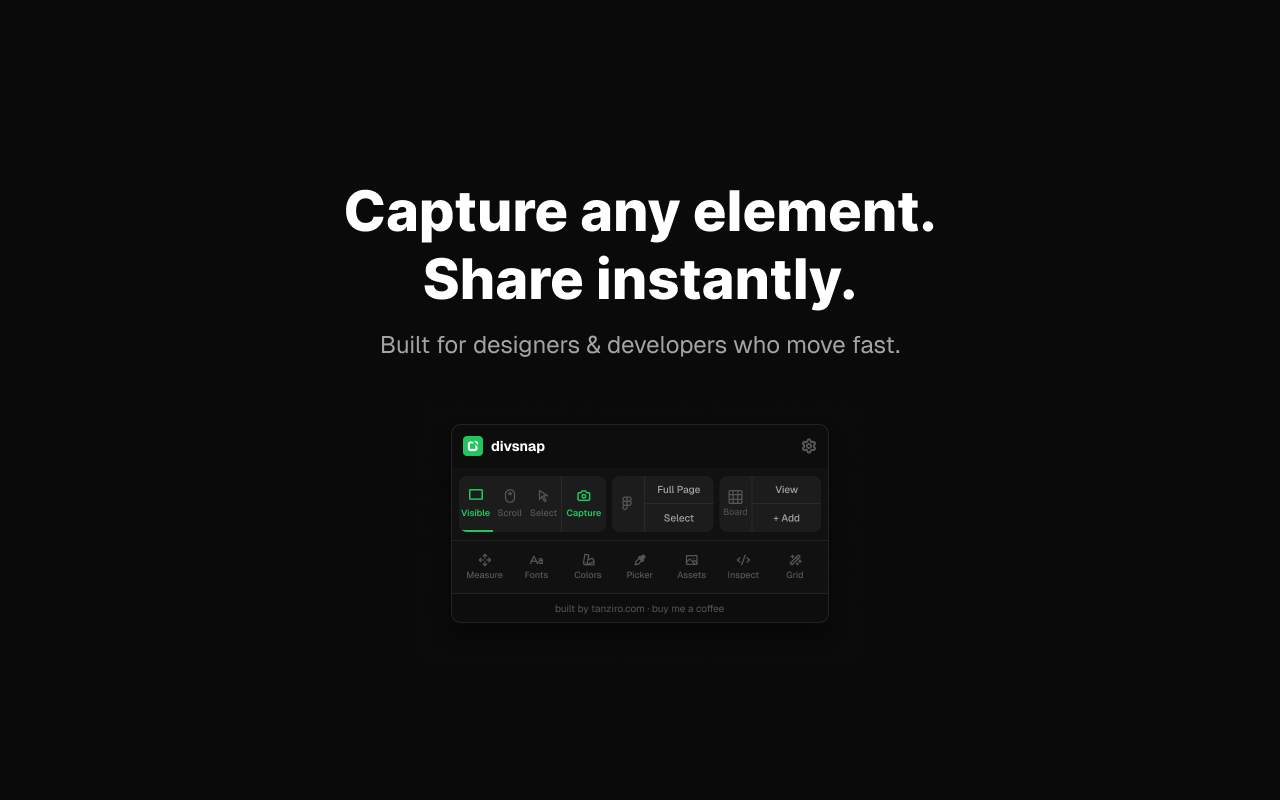
DivSnap starts from a user action, reads the selected page, and gives you a screenshot, Figma-ready clipboard payload, or saved board item without making you stitch together three different tools.
A page can become a PNG, a copied Figma layer tree, a board capture, or a design audit panel. The modes are separate so the popup stays fast.
Visible viewport, scrolling page, selected element, or drag-selected region.
Download a screenshot, copy Figma-ready data, or save to a moodboard.
Measure spacing, collect fonts, sample colors, inspect assets, and draft quick notes.
Bulk-copy saved captures to Figma or download the whole board from local storage.
Screenshot utilities stop at pixels. DivSnap keeps the design workflow open: inspect, capture, compare, collect, and move to Figma when the reference needs to become editable.
Capture the current viewport or stitch a longer page without leaving the active tab.
visible · scrollHover-select a UI block or drag a custom rectangle when the page is too noisy.
select · cropCopy the whole page or a selected element as Figma-ready clipboard data.
full page · selectSave page captures in extension storage, reopen a board, download it, or paste the board to Figma.
board viewOpen in-page tools for spacing, layout, page structure, and quick design documentation.
measure · inspectPull typography and color signals from a page while the visual context is still in front of you.
fonts · colorsSample pixels and review discovered image assets from the current page.
picker · assetsBuilt as a Manifest V3 Chromium extension with Chrome and Edge upload packages prepared.
Chrome · EdgeThe interaction model stays deliberately simple: open a normal webpage, click DivSnap, choose the output, and keep moving.
Pin DivSnap to the browser toolbar, open any normal webpage, and choose Visible, Scroll, Select, Capture, Figma, or Board.
Use Figma Full Page for the whole document, or Figma Select when one component is the useful part.
Add captures to a moodboard, revisit them in Board View, then bulk-copy or download the collection.
# the whole browser workflow
open page you want to reference
click DivSnap in the toolbar

choose one:
  Visible     -> download current viewport
  Scroll      -> capture more of the page
  Select      -> hover-pick one element
  Capture     -> drag-select a region
  Figma Full  -> copy editable page layers
  + Add       -> save to local moodboard

paste into Figma, download PNGs, or reopen Board View
DivSnap is meant for user-triggered design capture on normal web pages. It works within browser security limits and says so.
Moodboards live in Chrome extension storage and screenshots download to your machine. Figma export uses the clipboard flow so you decide where the captured design goes next.
Chrome blocks injection on internal pages such as chrome:// and store pages. Cross-origin media and complex canvases can also affect what a browser extension can capture.
DivSnap is built for the tiny design-reference moments that usually get lost: a clean pricing card, a clever nav, a dashboard state, a typography stack, a layout worth rebuilding.